
Lists: send your tracks to everyone who matters, in one go

Until now, getting a new track to the people you trust most meant opening the composer and picking each inbox one at a time. Lists change that.
A list is a group of inboxes you put together yourself: the DJs who always give feedback, the labels you're pitching this season, the curators who get your sound. Build it once, and every time you have something new, send to the whole list in one click.
Build a list in seconds
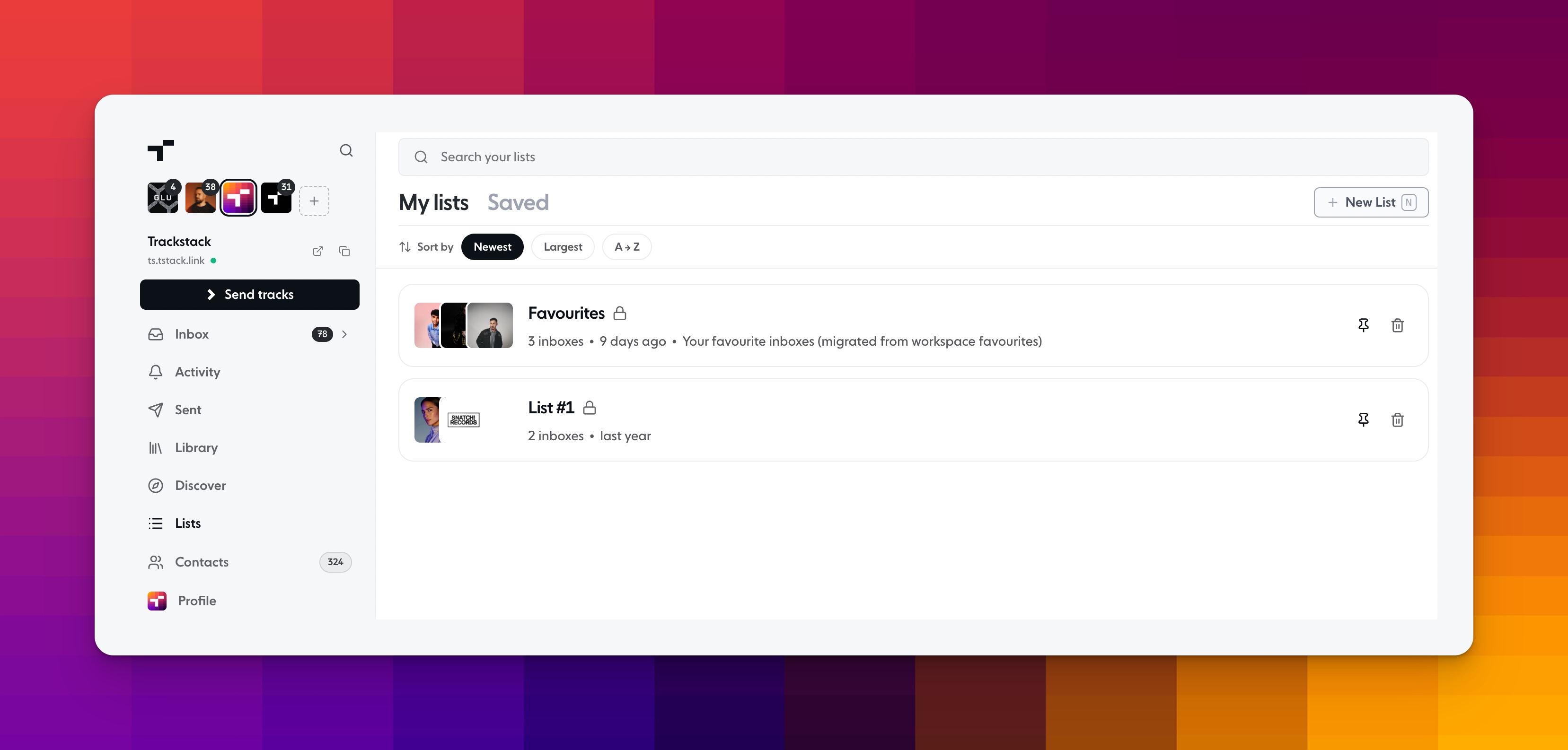
Head to Lists in the sidebar and hit New List (or just press N). Give it a name and an optional description, then add any inbox you like.
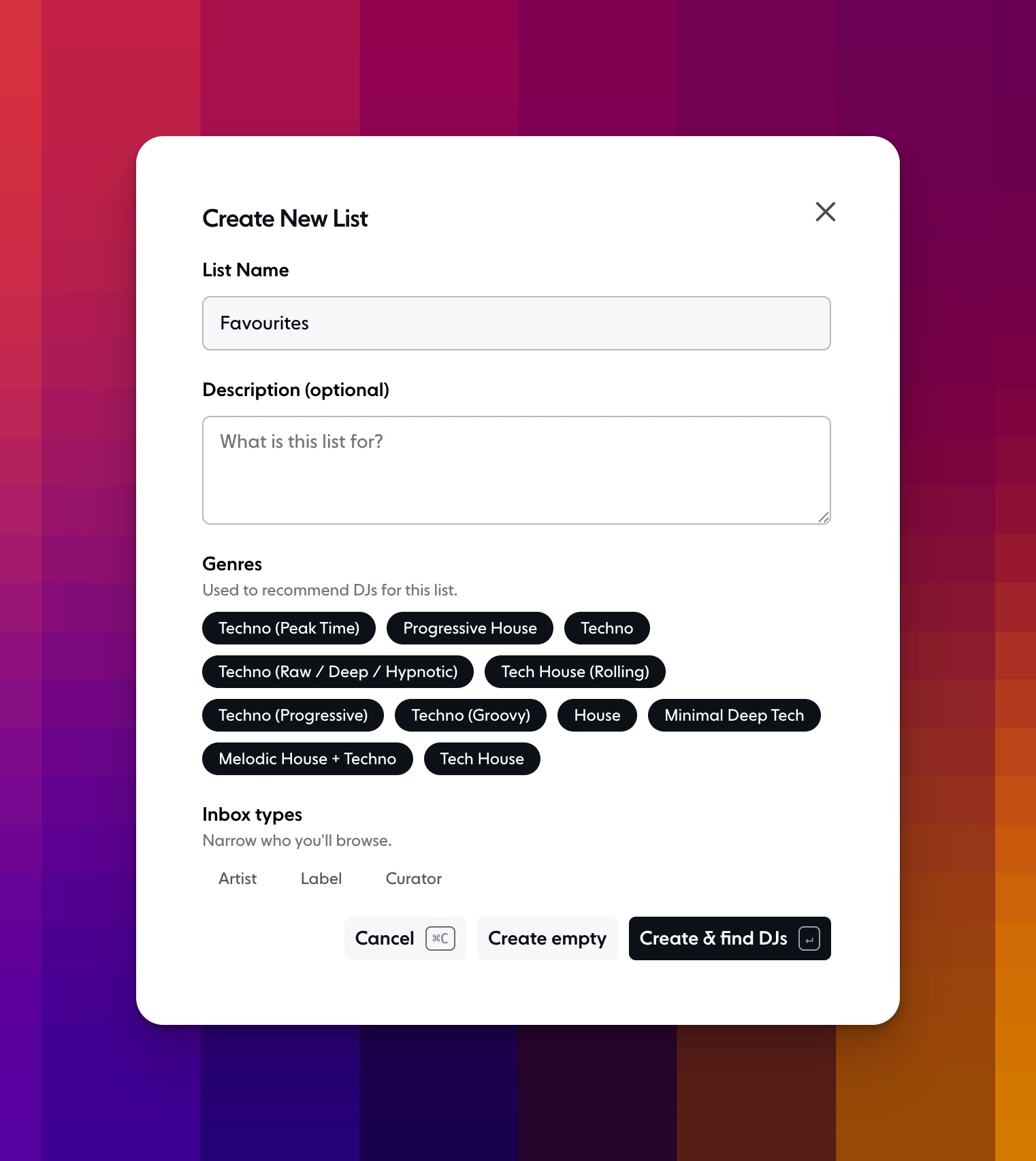
You can also pick the genres the list is for and the inbox types you want, like Artists, Labels or Curators. Trackstack then uses those to suggest DJs who fit. Choose Create & find DJs to start browsing straight away, or Create empty to add people yourself. Got a go-to group of favourites? Create a list called Favourites and they'll always be one click away.
Everything about a list, in one place
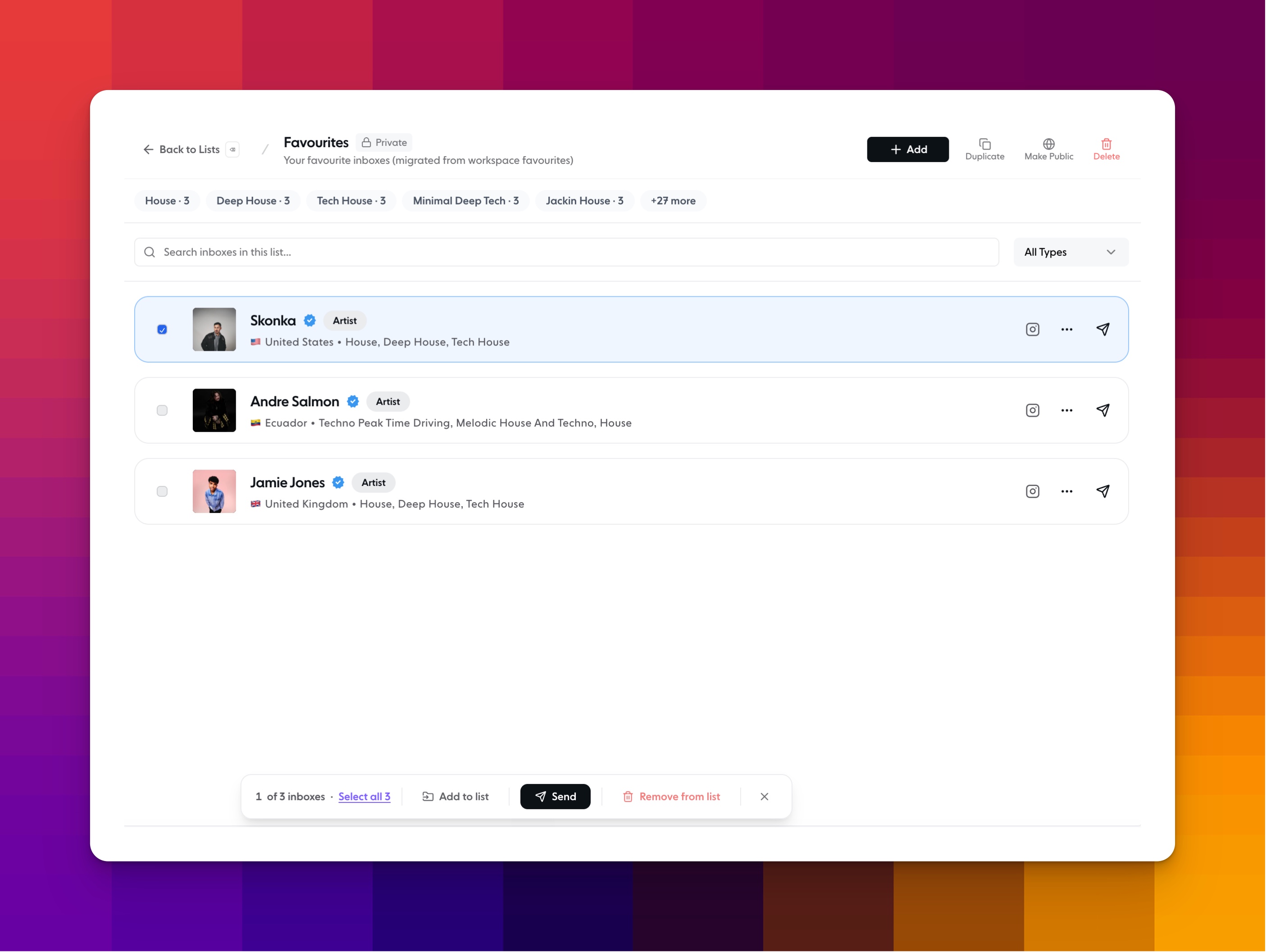
Open any list to see everyone on it at a glance: where they’re based, what they play, and whether they’re an artist, label or curator. The genre tags at the top show what the list covers, like House · 3 or Tech House · 3.
Search and filter the inboxes in a list, or narrow it down by type.
Send to one person straight from the list with the send icon.
Select inboxes with the checkboxes to send to just those people, add them to another list, or remove them from this one. Hit Select all to pick everyone at once.
Duplicate a list to use it as a starting point for a new one.
Pin the lists you use most to the top of your Lists page.
Make a list public to share it with the community, and save other people’s lists so they show up under your Saved tab.
Bulk send from the composer
When you're ready to share, open Send tracks and type a list name in the To field. You'll see exactly who's on it, and Trackstack checks every inbox before you send. If someone isn't accepting submissions right now, you'll know before you hit Bulk Send, not after.
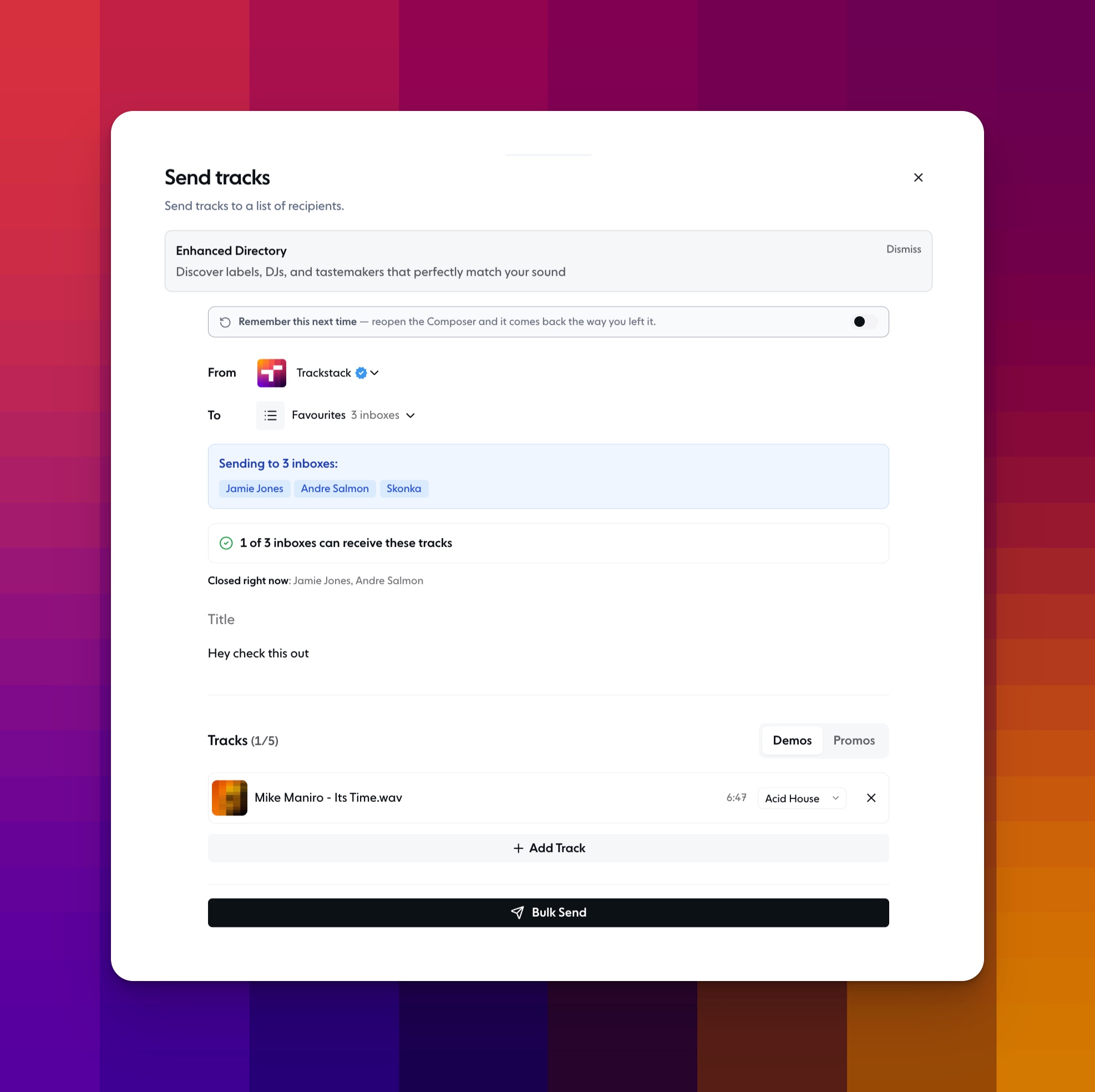
Add up to five tracks, choose Demos or Promos, write your message, and it goes out to everyone at once.
It's a small change, but it's the kind that adds up. Less time copying and pasting the same send, more time making music and building the relationships that actually move your career forward.
Lists are available now on Pro and Max plans.